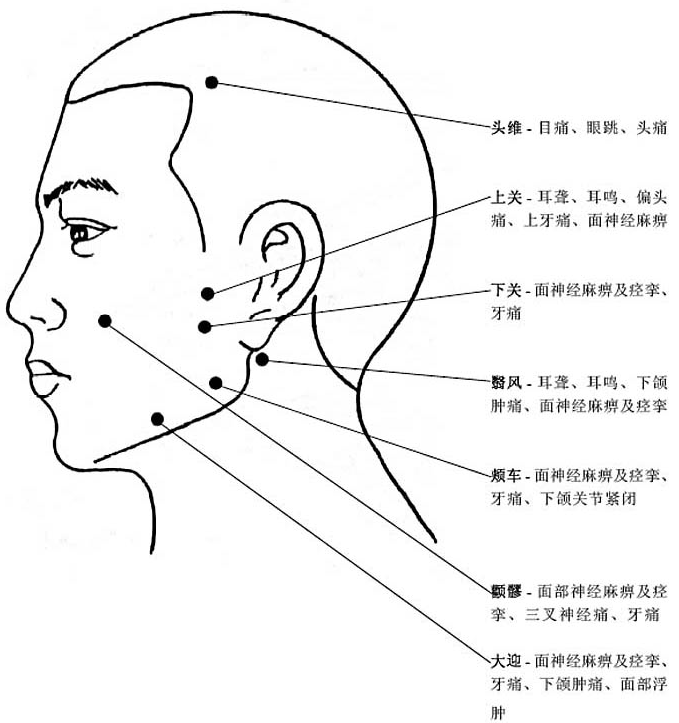
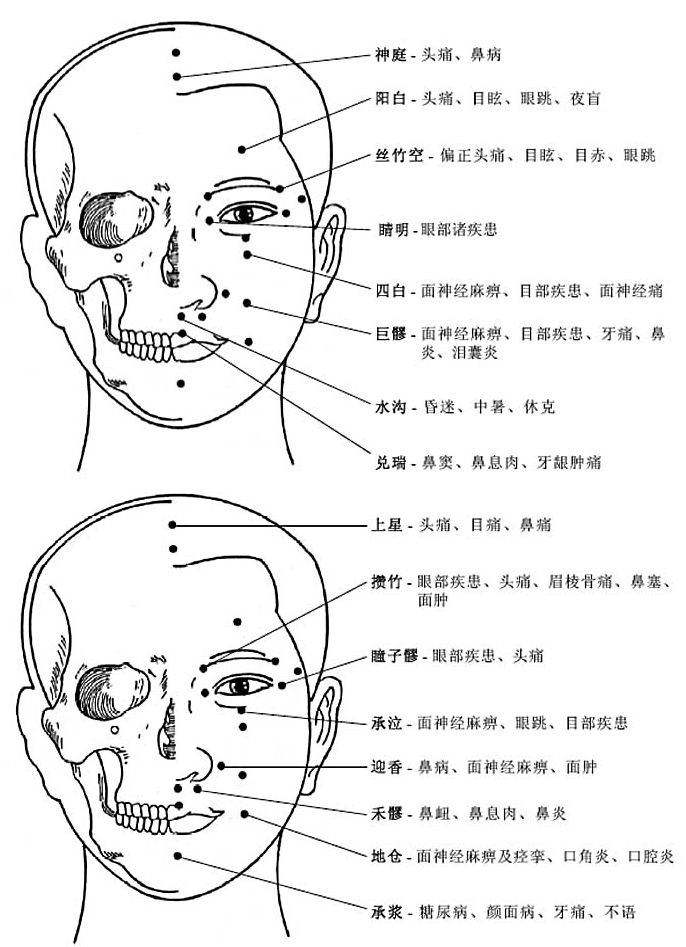
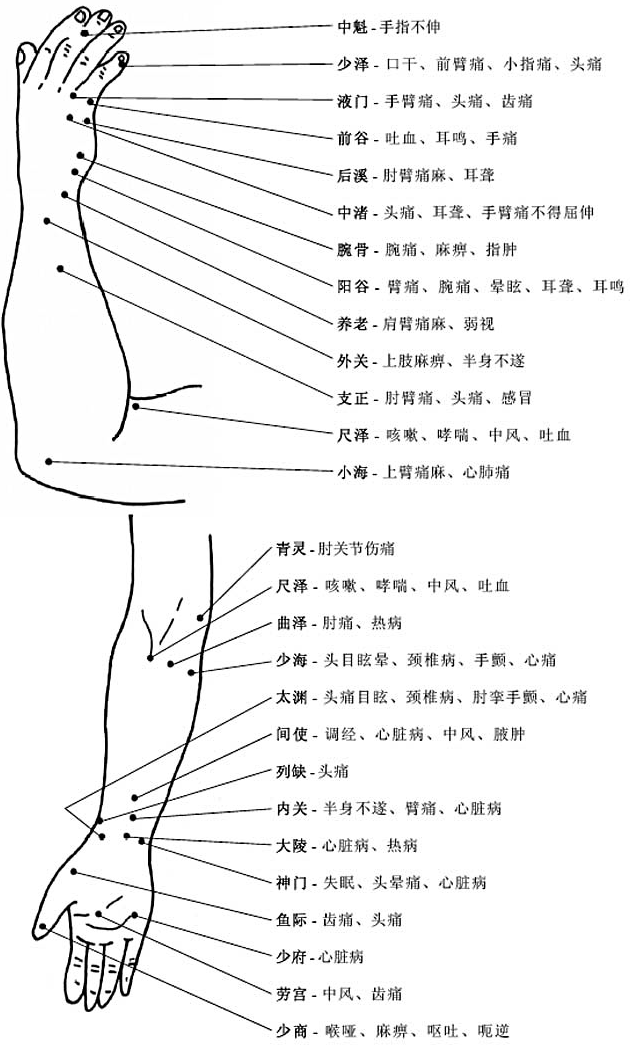
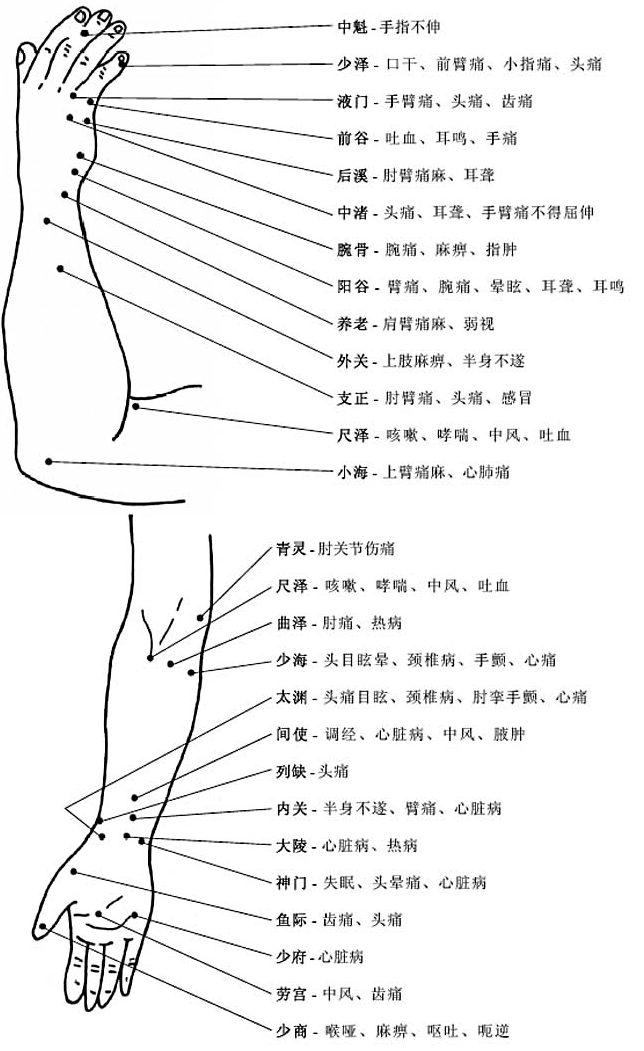
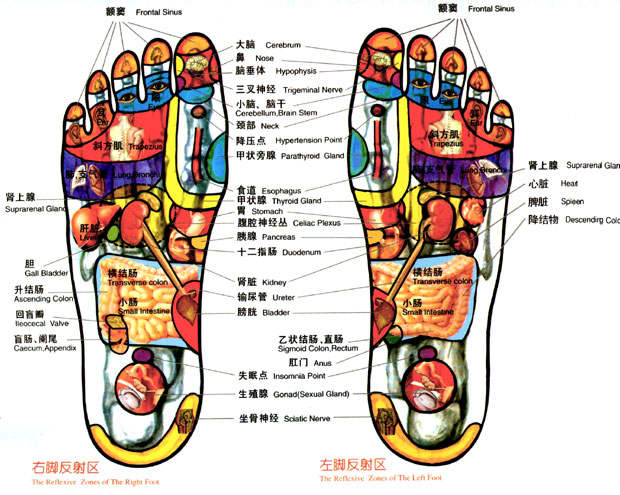
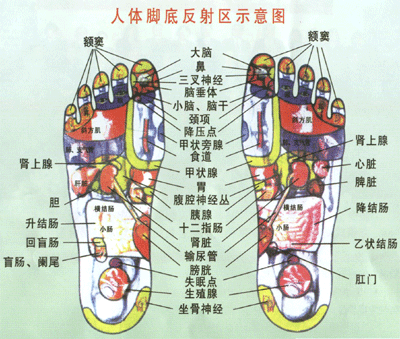
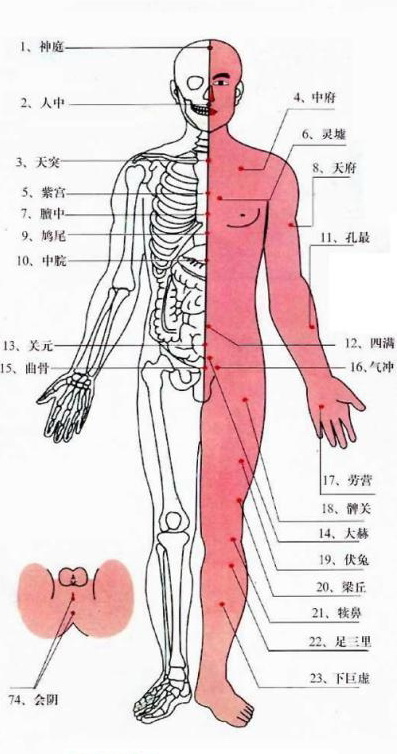
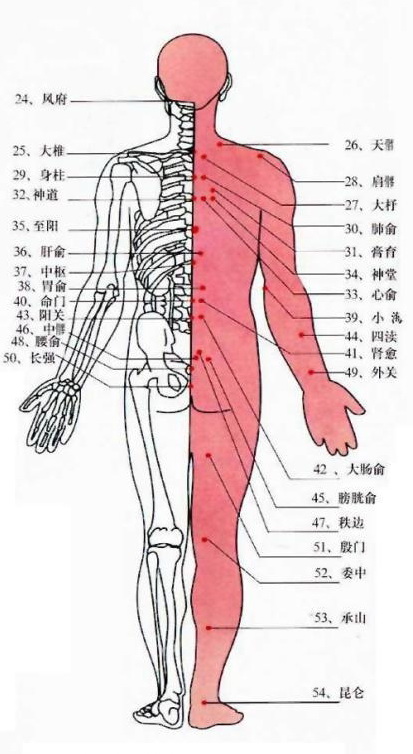
人体穴位图解

On March 31, 2010, in Ramblings, by admin

Tagged with:  

One Earth,One Hour

On March 27, 2010, in Ramblings, by Jay

Do you know how much resouce we’re taking out of the Earth – the only home we are living in? Do you know how much damages we have brought and are bringing to the Earth? It’s the time to turn off your lights for one hour to raise your awareness of that and show respect to the Earth, the only one home and mother we have.

Whether you believe in ‘global warming’ or not, climate change is real and it affects us all. By turning off your lights you are taking a stand and putting a vote towards a better future for this precious planet we call home.

Starting at 8 p.m., you can join in by turning off your lights for one hour to save energy and … Courtyard concert to usher in Earth Hour With a few days to go until Earth Hour, Peterborough residents and businesses are gearing up to power down.

Wiki of Earth Hour – Earth Hour is a global event organized by WWF ( World Wide Fund for Nature, also known as World Wildlife Fund) and is held on the last Saturday of March annually, asking households and businesses to turn off their non-essential lights and other electrical appliances for one hour to raise awareness…

Tagged with:  

How to create wordpress themes

On March 27, 2010, in Web Techs, by Jay

You may think it’s hard to create a wordpress theme by yourself. You may want to create a theme but don’t know where to start. If you’re looking for such stuff then you came to the right place.

Recently I found a blog site that’s displaying step-by-step tutorials on creating wordpress themes.

If you would like to learn how to create a unique wordpress themes, please just check out this page (click here) and I believe you’ll be able to create wordpress themes after you read all articles on that site.

Tagged with:  

最好的输入法

On March 21, 2010, in Ramblings, by admin
 

My first post

On March 5, 2010, in Ramblings, by Jay

Hi, there!

My name is Jason. You can call me Jason or Jay! I just created this blog today and this is my first post.

Thanks for your coming to my blog and I’ll keep updating my blog so you can always get the up-to-date blog articles when you visit my blog in the future!

And also if you have any good ideas or suggestions please send email to jaysnow1@hotmail.com and I’ll be glad to hear from you.


百度疑再次被黑

On January 22, 2010, in Ramblings, by Jason

刚刚发现百度好像又被黑了,看图:

百度搜索结果中大量的xx站

在百度中搜索“W”,不分大小写,搜索结果从第二页起全部是xx网站。这些网站网页内容几乎完全相同,网页文字为日语,看截图(可以点击图片看大图):

百度搜索结果中的xx站


WordPress博客页面优化之技巧

On January 19, 2010, in Wordpress, by Jason

WordPress是非常不错的博客程序,也是很多博客爱好者所喜欢的建站程序之一。下面就来说说wordpress的SEO优化技巧:

1 安装SEO插件

wordpress有非常多的插件可以供我们使用,几乎你想得到的功能都可以通过插件来实现,其中也包括SEO插件。我们要做的第一件事就是给WordPress安装SEO插件,在搜索引擎优化方面它基本上给我们解决了80%左右的问题!至于如何安装插件,请“百度一下”或者是“google一下”。

2 keywords和description要充实起来

keywords和description无论对于什么类型的网站都是十分的重要,这是搜索引擎第一眼看到的内容,也可以说是你网站的门面,关系着你整个网站的主旨所在。虽然有这部分的写作对搜索引擎排名的影响越来越小了,但这并不是说这部分写作没有作用;如果有条件和时间的话,还是应该尽量把keywords和description很好的填充起来。

3 博客标题格式书写要合理

Title就是一般显示在浏览器标题栏的文字,有些wordpress模版中的标题格式是 “Blog标题 >> 文章标题” 的格式,不建议使用这种格式;建议采用“文章标题 – Blog标题”的形式。除此之外,尽量在title里面出现文章的关键词。

4 标题中要有网站主旨相关的关键词

这点在上面也提到过,文章的标题对于SEO来说,它是搜索引擎首要接触到的内容,也是整篇文章之精华总结。所以,在写文章标题的时候,把相关网站相关的关键词放进去,十分的有必要。例如:有一篇关于Webhost4life的文章“如何使用优惠码最省钱”,这里最好把Webhost4life也放到标题中去,改成“如何使用Webhost4life优惠码最省钱”或者“Webhost4life主机优惠码如何使用最省钱”;这样对于搜索引擎来说,它就能很快很好的识别出文章的内容,进而对你排名有所影响。

5 文章段落的开头最好能加入关键词

上面说了文章的标题,接下来就是文章段落的开头部分了。段落的开头部分是整篇文章思想之所在,文章的开头竟可能的加入关键词,加入的词语不要太过于生硬,这里加入的关键词要合理,不要过多的加入关键词,这样很容易造成关键词堆砌,只会得到“适得其反”的效果。

6 为博客文章添加tag属性

Tag属性很多博主都不怎么在意,感觉无所谓,如果这样想的话那你就大错特错了。TAG可以增加用户的体验度,而且,搜索引擎在抓取内容时候,也会对相关Tag关键词予以重视。写博客文章的时候,要尽可能的为博客添加tag属性的关键词。

7 页面的URL中最好能有关键词

博客中使用的URL地址格式都是自定义的格式,所以在自定义URL地址时,尽可能的把URL地址唯一化,不然会造成复制内容而影响搜索引擎结果排名;无论是设置成拼音或者英文都是可以的,这个看个人的爱好了啊,英文站最好是设置成带关键字的英文地址,对于网站的优化很有帮助的。

WordPress里有个URL设置就是永久链接,使用这个链接需要你的服务器支持rewrite功能(也就是我们常说的伪静态开启),使用这个链接确认文章标题使用了永久链接,那么你可以自己设置页面名称了。

8 图片alt属性

页面中的图片,也竟可能的把图片加上相应alt属性的信息,并且确认这些标记和显示的内容匹配,这会帮助搜索引擎更好的知道图片的内容。当然,你也可以在alt里面加上几个关键词,但不要太多,那样就是堆积了,是作弊,要被K站的。


ASP数据库调用语句

On January 18, 2010, in Web Techs, by Jay

ASP调用SQL Server、Access数据库代码,供大家参考:

1、ASP连接调用SQL Server数据库的代码:

Strconn=”provider=sqloledb;datasource=数据库服务器地址;uid=数据库用户名;pwd=数据库密码;datebase=数据库名”
setconn=server.createobject(“adodb.connection”)
conn.open strconn

如果数据库与网站空间在同一台服务器上,建议data source地址使用127.0.0.1或(local)或者请参考一下代码:

dim titlename
dim Strconn
titlename=”数据库连接测试”
Dim Conn,ConnStr,DataServer,DataBase,DataUser,DataPass
DataServer = “数据库服务器地址”
DataBase = “数据库名”
DataUser = “数据库用户名”
DataPass = “数据库密码”
ConnStr=”Provider=SQLOLEDB.1;User ID=”&DataUser&”;Password=”&DataPass&”;Initial
Catalog=”&DataBase&”;Data Source=”&DataServer&”"
Set Conn=Server.CreateObject(“ADODb.Connection”)
Conn.ConnectionString=ConnStr
Conn.Open

2、在ASP中连接调用Access数据库代码:

Set conn=Server.CreateObject(“ADODB.Connection”)
conn.open “Provider=Microsoft.Jet.OLEDB.4.0;Data Source=” & server.mappath(“/db/data.mdb”)

请您将”/db/data.mdb”替换为您自己的Access数据库实际路径。